START HERE
Protect one clear zone
Before you compare desks, decide what must stay clear. For most compact rooms, that means a comfortable mouse path and enough open surface to write, eat, or work without moving the entire setup.
Think of the desk as a small system: screen at eye level, PC where air can move, and accessories that can leave the surface in one motion. The right layout does more for comfort than another strip of lighting.
THE NINE
Layouts that make a tight room easier
Use the corner, not the center
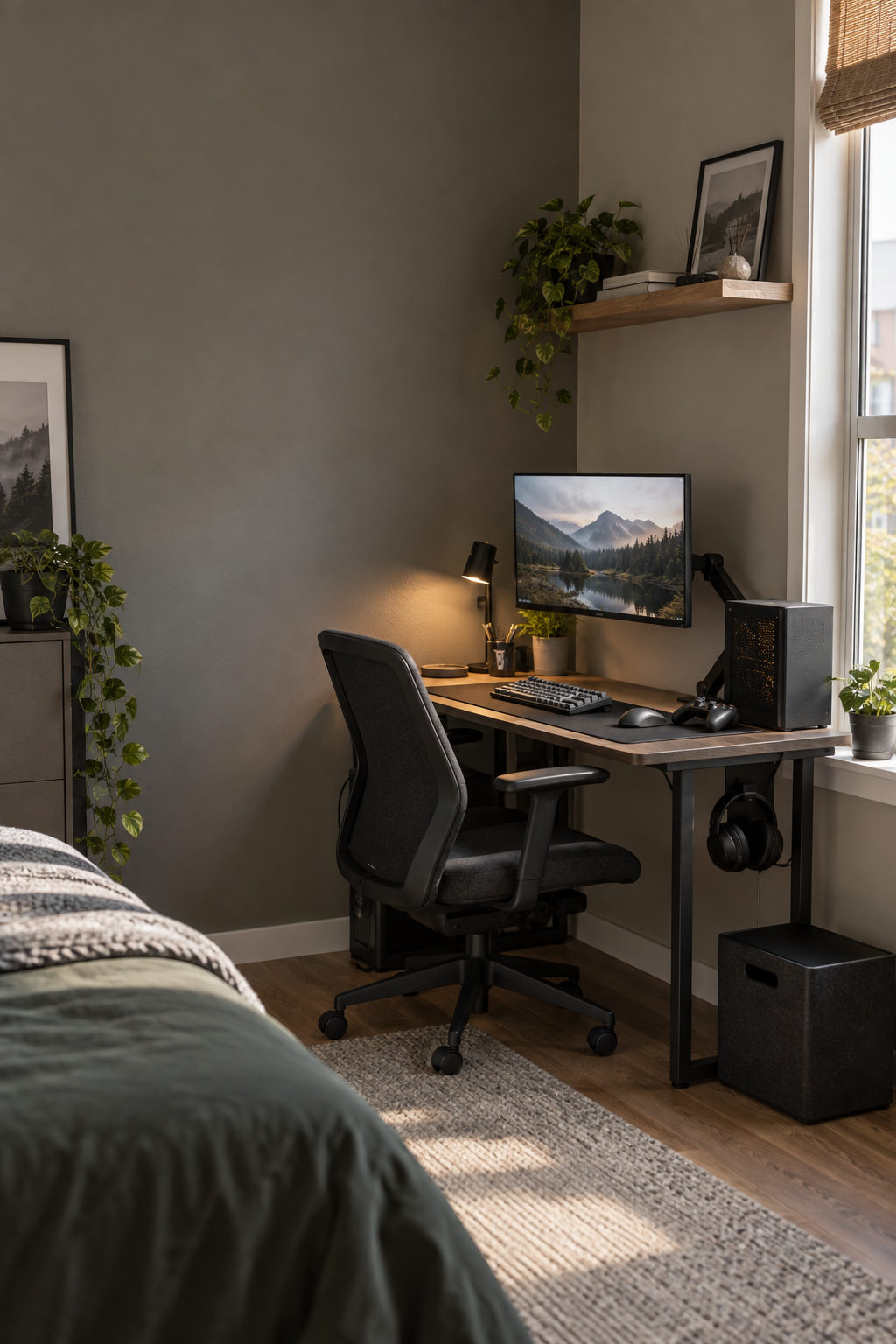
Push the desk into a corner with the monitor angled slightly toward the room. You keep the walkway open and gain a visual “back wall” for focus.
Let the monitor arm do the lifting
One arm frees the back third of the desk for notebooks or a small dock. It also makes it easier to pull the screen forward only when you need it.
Choose a single-screen rhythm
A single 27-inch display is often calmer than two crowded panels. Add a tablet or laptop stand only when the second view has a real job.
Put the PC where the air is
Leave a hand’s width around the intake and avoid trapping the case under a shallow shelf. Cool, reachable hardware is easier to live with than a hidden tower.
Turn vertical space into storage
A slim pegboard, shelf, or headphone hook keeps small accessories off the surface without adding another piece of furniture.
Keep the front edge boring
Leave the first 10–15 cm of desk depth clear. It is the small decision that makes the whole setup feel less crowded.
Give cables one direction
Route power and display cables toward one rear corner, then down once. Fewer directions mean fewer snags when you move the desk.
Use light to mark the work zone
A small task lamp or soft backlight can separate the desk from the room without adding visual noise or turning the whole space neon.
Make “done” the default
Keep a tray, drawer, or hook within reach for the controller and headset. A fast reset is what makes a compact setup work every day.
BUYING ORDER
Pick the layout before the gear
If you are starting from zero, buy in this order: desk footprint, monitor position, chair clearance, cable path, then accessories. This prevents the classic small-room mistake—buying a beautiful object that steals the only usable surface.
Desk width, depth, chair pull-out, and the nearest outlet.
Screen height, PC airflow, and the one clear zone.
Add one storage move that makes reset effortless.
Disclosure: This guide is editorial. If product links are added later, any affiliate relationship will be labeled clearly.